Przejdź do treści
Strona główna
  • Learn
  • Community
  • Buy
    • New SketchUp Pro Licenses
    • Upgrade a License
    • Renew Support
    • Corporate Solutions
    • Student & Educator Licenses
Help Center

Dear Customers,

The support team is working hard to answer questions about One-Time Passcodes, Multi-Factor Authentication, and managing account settings. If you have submitted a case to our team, we will respond as soon as possible to assist you with your request. If you need to contact support regarding sign-in, please reach out here. 

Thank you for your understanding and continued support. Wishing you a joyful season! 

Sincerely,
The Trimble team at SketchUp

SketchUp

SketchUp
  • SketchUp
    • Pierwsze kroki w programie SketchUp
    • Creating a 3D Model
    • Materiały, tekstury i środowiska
    • Components
    • Geolocation and Terrain
      • Finding and Using Add Location
      • Geolocation in SketchUp
        • Geolocating with Add Location
        • Geolocation in Model Info
        • Importing Geolocated Content
      • Site Context and Terrain
    • Using SketchUp with Other Applications
  • LayOut
  • SketchUp for Web
  • SketchUp for Education
  • 3D Warehouse
  • Extension Warehouse
  • Accounts and Administration
  • SketchUp Labs
  • Extending SketchUp
  • SketchUp for iPad
  • Troubleshooting
  • Łączność i współpraca

Getting Started with Geolocation

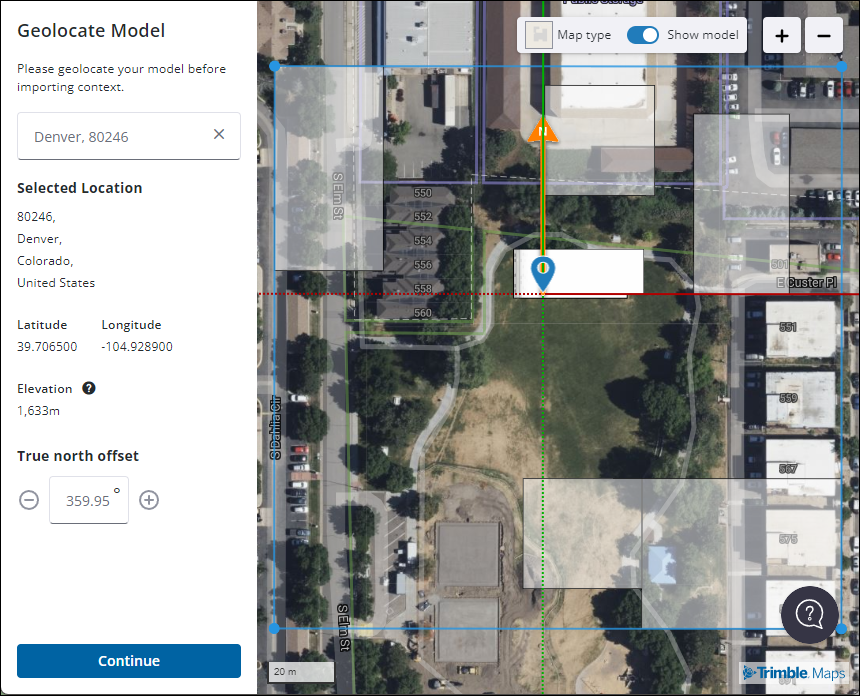
SketchUp’s Add Location feature helps you to capture geolocation data and apply it to your model. You can also import content into your model that’s already been geolocated. To get started take a look at these articles:

  • Geolocating with Add Location
  • How to Use Add Location (web)
  • How to Use Add Location (iPad)
  • Geolocation in Model Info
  • Importing Geolocated Content
  • geolocation
  • Add Location
Was this article helpful?
  • ‹ Troubleshooting Add Location
  • Geolocating with Add Location ›
fpo arrow-right-circled close download book chevron-right check-circle question-circle info-circle warning wrench circle youtube apple windows life-bouy

Positioning-centric information is changing the way people, businesses and governments work throughout the world. By applying Trimble's advanced positioning solutions, productivity increases and safety improvements are being realized.

More About Trimble

  • About Us
  • The SketchUp Team
  • SketchUp Blog
  • Trimble Buildings
  • Privacy Policy
  • Developers
  • Developer Center
  • SketchUp Ruby API
  • SketchUp SDK
  • Extensions
  • Developer Forum
  • Programs
  • Visiting Professionals
  • Non-Profit Organizations
  • Project Spectrum
  • Help
  • Contact Us
  • Forum
  • Help Center
  • Retrieve SketchUp License
  • Resellers

  • Privacy Policy
  • Terms of Use
  • Contact
  • Do Not Sell My Personal Information
  • © 2025, Trimble Inc.
Przełącz język
  • Polski
  • English
  • Français
  • Deutsch
  • Italiano
  • 日本語
  • 한국어
  • Español
  • Português, Brasil
  • 简体中文
  • 繁體中文
  • Svenska
  • Čeština
  • Magyar
  • Русский