All Trimble Identity accounts are required to use Multi-factor Authentication (MFA). The default MFA method is using a One-Time Passcode (OTP). Any account that has not yet set up an MFA method is now required to sign in using OTP as their authentication method or set up another method of your choosing.
Signing In with a One-Time Passcode
Each time you login, Trimble prompts you to enter a code sent to the primary email address associated with your Trimble account.
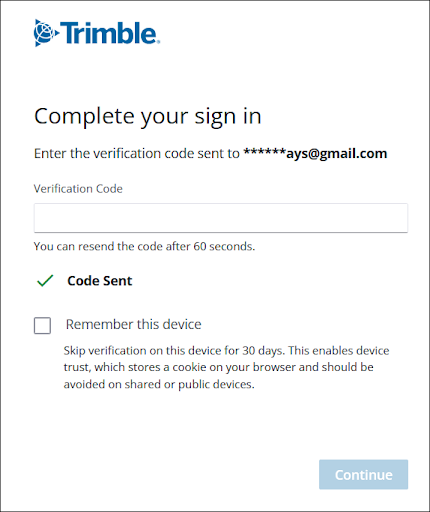
The code sent to your email address will expire after 10 minutes. If you haven’t received a code or are having trouble with the code you were sent, you can generate another code after 60 seconds.
If you don’t see the email in your inbox, check your junk mail or spam folders.
Clicking Remember This Device allows you to skip this step when logging in from the same device for the next 30 days. After entering the code sent to the email address associated with your Trimble ID, clicking Continue logs you in.