The AI Assistant ( ) brings access to AI-powered workflows without leaving SketchUp. To get started with AI Assistant, open SketchUp AI (
 ) and select AI Assistant or from the menu by selecting Extensions > AI Assistant.
Tip: If you haven’t updated to the newest version of SketchUp, you can still download AI Assistant from the Extension Warehouse.
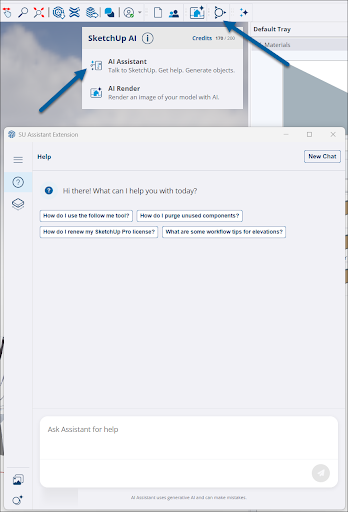
Tip: For Windows users, AI Assistant has its own toolbar you can then add to your main toolbar. For MacOS users, use the Customize Toolbar option to add it just like you would any other tool. See Toolbars for more information.
AI Assistant offers a few different ways to bring AI into your workflow:
- Help(
 ) – Ask questions about tools, best practices, or even complex workflows and get in-app guidance.
 - Generate Object (
 ) – Enter text prompts or provide your own image and add prompts to create 3D objects with photoreal materials.
- After generating an object, your output saves to the AI Assistant Gallery (
 ).
).
- After generating an object, your output saves to the AI Assistant Gallery (
- Click Credits (
 ) to check the balance of your SketchUp AI Credits.