The Trimble Admin Console provides access to billing and payment information under the Billing & Payment tab. Each section contains information allowing you to review all of your SketchUp subscription orders and invoices. Only users with the appropriate role can access Billing & Payment information.
For more information about VAT tax status and other tax information, see VAT Tax and Tax Information.
Editing Payment Information
Changing the company name or address associated with your account is not available at this time. Your billing profile determines the region for tax obligations and cannot be altered. In cases where you need to change this information, you must cancel all current subscriptions and create a new Trimble ID after those subscriptions expire. See Update Company Name or Address for more information.
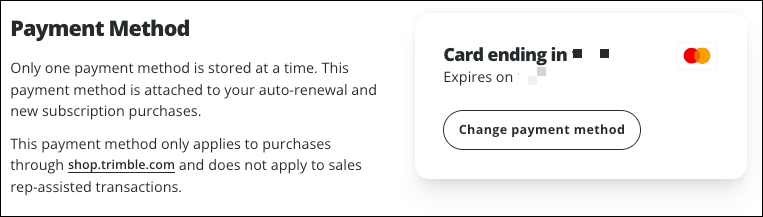
At the top of the page, you can review your payment method and change it if needed. Only one payment method can be stored at a time. To change your payment method:
- Click Change Payment Method.
- Select Credit or Debit Card or Paypal.
- Enter your new billing information and click Save.
- Enter your new payment details and click Submit.
- Click Back at the top of the page at any time to exit without making any changes.
Order History includes a list of every order for each subscription you have purchased.
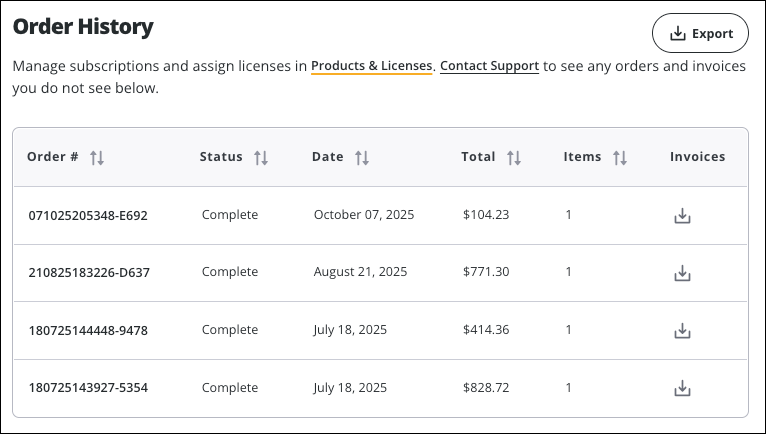
If you need to export your entire order history or all of your invoices, click Export found in the upper-right of each section. An email will be sent to the Account Owner with instructions on how to download the exported information.