Environments add a 360° panoramic background with image-based lighting conditions to your SketchUp models. SketchUp for Web’s Environments panel is where you can add and manipulate environments, or import your own High Dynamic Range Image (HDRI) files or OpenEXR files to create a new environment. When combined with Photoreal Materials, environments are the best way to visualize Photo Based Rendering (PBR) Materials in your model.
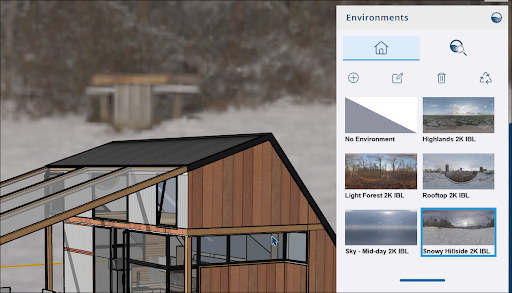
To add an environment, open the Environments panel and click Library ( ). In the Library, SketchUp already includes a number of preloaded Environments to choose from. You can also click Add (
 ) to add your own HDRI or OpenEXR file.
To edit an Environment, select an Environment and click Edit ( ). You can control how the environment appears with options to set the location of the sun, the rotation of the skydome, the exposure amount, and more.

For more information on Environments and the editing options available, see Adding an Environment to a Model.